
How to deploy a Ruby App in 4 Steps?
In this tutorial, you will learn how to setup Ruby App on HostingSewa's Application supported plans.
In this tutorial, you will learn how to setup Ruby App on HostingSewa's Application supported plans.
 Login to Cpanel from HostingSewa.[/caption]
Step 2: Click on the "Setup Ruby App" link under Softwares as shown in the picture below.
[caption id="attachment_112" align="alignnone" width="1430"]
Login to Cpanel from HostingSewa.[/caption]
Step 2: Click on the "Setup Ruby App" link under Softwares as shown in the picture below.
[caption id="attachment_112" align="alignnone" width="1430"]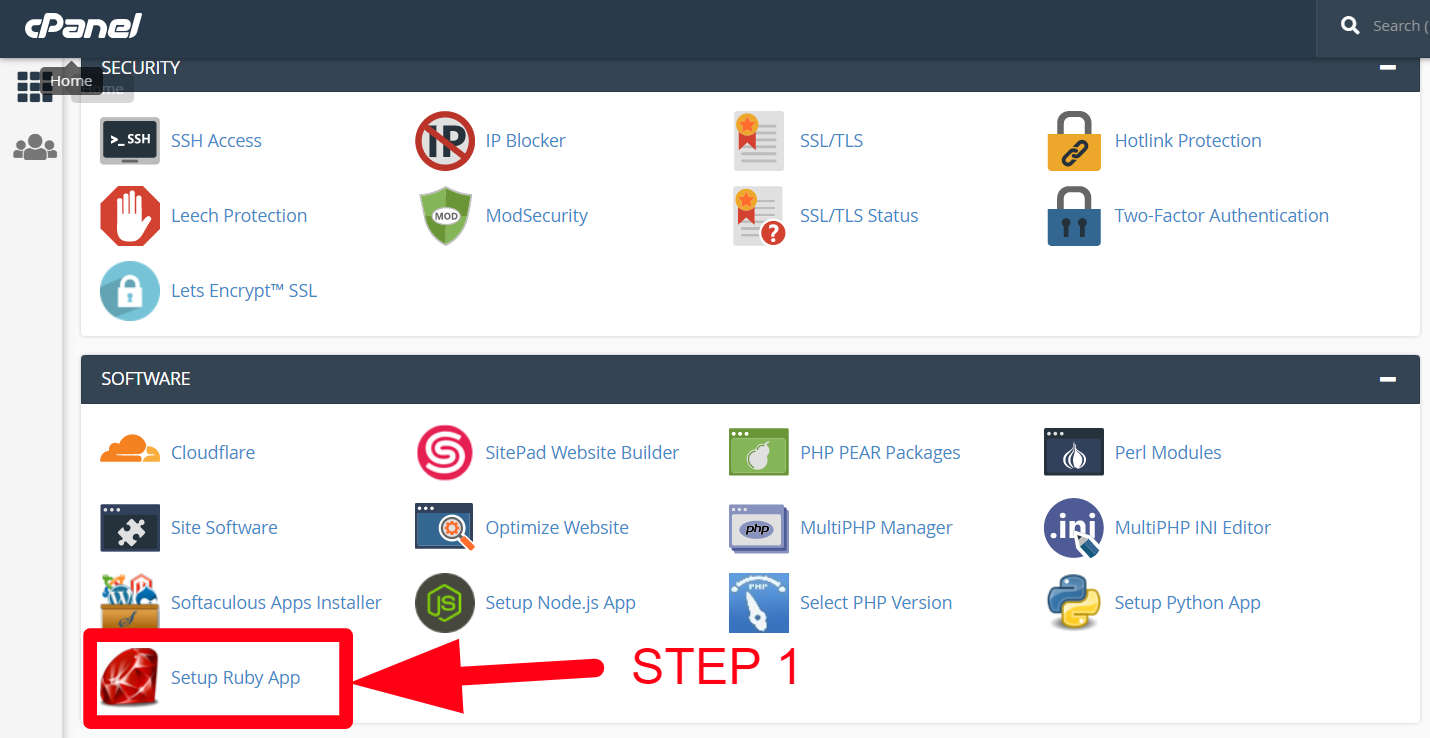 Red Ruby icon on Cpanel confirms that your Hosting supports Ruby.[/caption]
Step 3: Select the Ruby version, set the directory path, select the domain and click on "Setup" button.
[caption id="attachment_113" align="alignnone" width="1919"]
Red Ruby icon on Cpanel confirms that your Hosting supports Ruby.[/caption]
Step 3: Select the Ruby version, set the directory path, select the domain and click on "Setup" button.
[caption id="attachment_113" align="alignnone" width="1919"]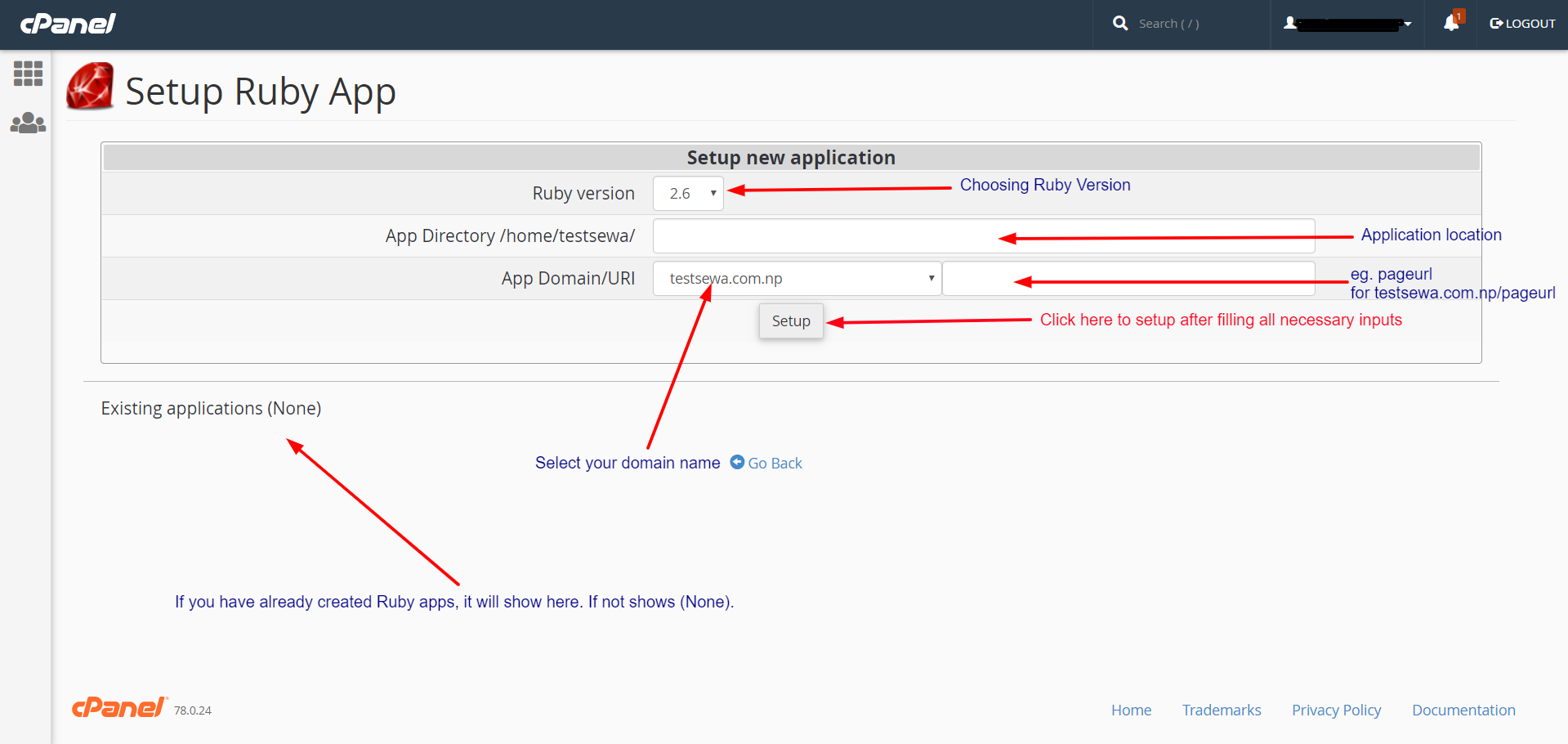 Filling the inputs before creating a Ruby app.[/caption]
Step 4: Now your Ruby app setup has been successfully created.
[caption id="attachment_115" align="alignnone" width="1890"]
Filling the inputs before creating a Ruby app.[/caption]
Step 4: Now your Ruby app setup has been successfully created.
[caption id="attachment_115" align="alignnone" width="1890"]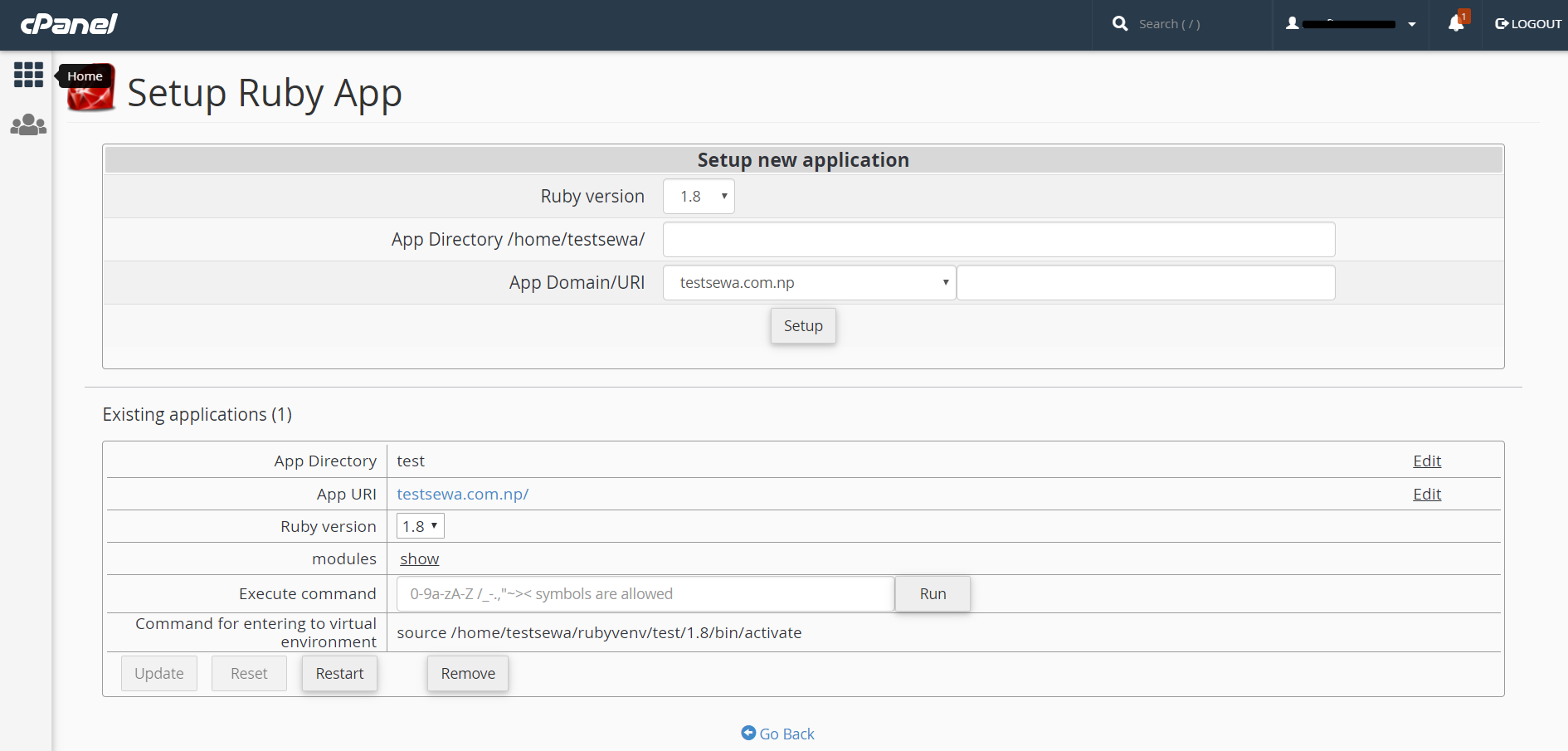 Ruby App has been successfully created.[/caption]
Things to do after Ruby application setup completion.[/caption]
Ruby App has been successfully created.[/caption]
Things to do after Ruby application setup completion.[/caption]
Main Objective
The main objective of this tutorial is to setup a Ruby App on Shared Hosting.Does my Hosting plan support Ruby App?
If you have any plan that supports you will see the Setup Ruby App icon on Cpanel. The red Ruby icons itself confirms that you can deploy Ruby application.To setup Ruby App, follow the steps below.
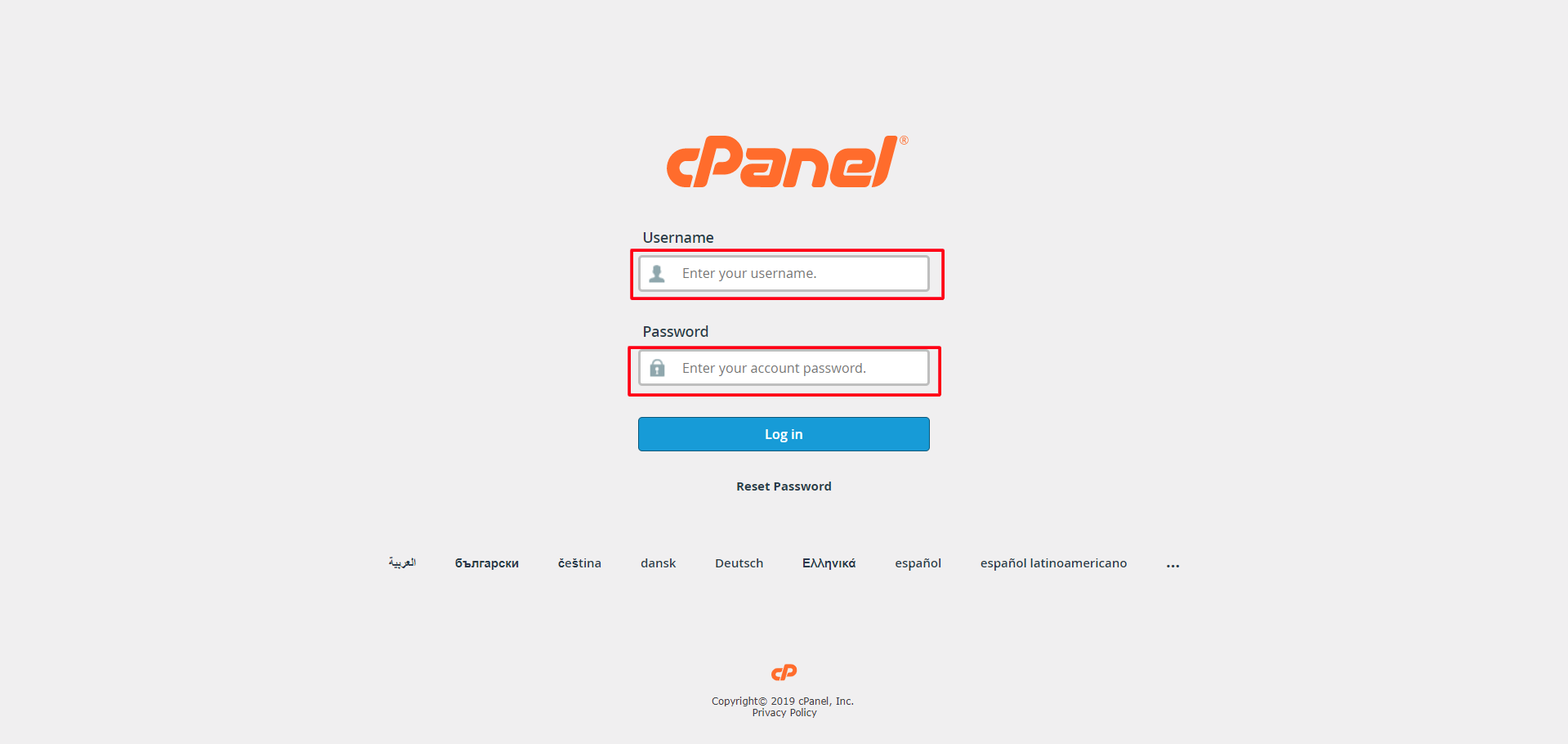
Step 1: Login to your Cpanel account provided by HostingSewa. [caption id="attachment_111" align="alignnone" width="1919"] Login to Cpanel from HostingSewa.[/caption]
Step 2: Click on the "Setup Ruby App" link under Softwares as shown in the picture below.
[caption id="attachment_112" align="alignnone" width="1430"] Red Ruby icon on Cpanel confirms that your Hosting supports Ruby.[/caption]
Step 3: Select the Ruby version, set the directory path, select the domain and click on "Setup" button.
[caption id="attachment_113" align="alignnone" width="1919"] Filling the inputs before creating a Ruby app.[/caption]
Step 4: Now your Ruby app setup has been successfully created.
[caption id="attachment_115" align="alignnone" width="1890"] Ruby App has been successfully created.[/caption]
After Setup
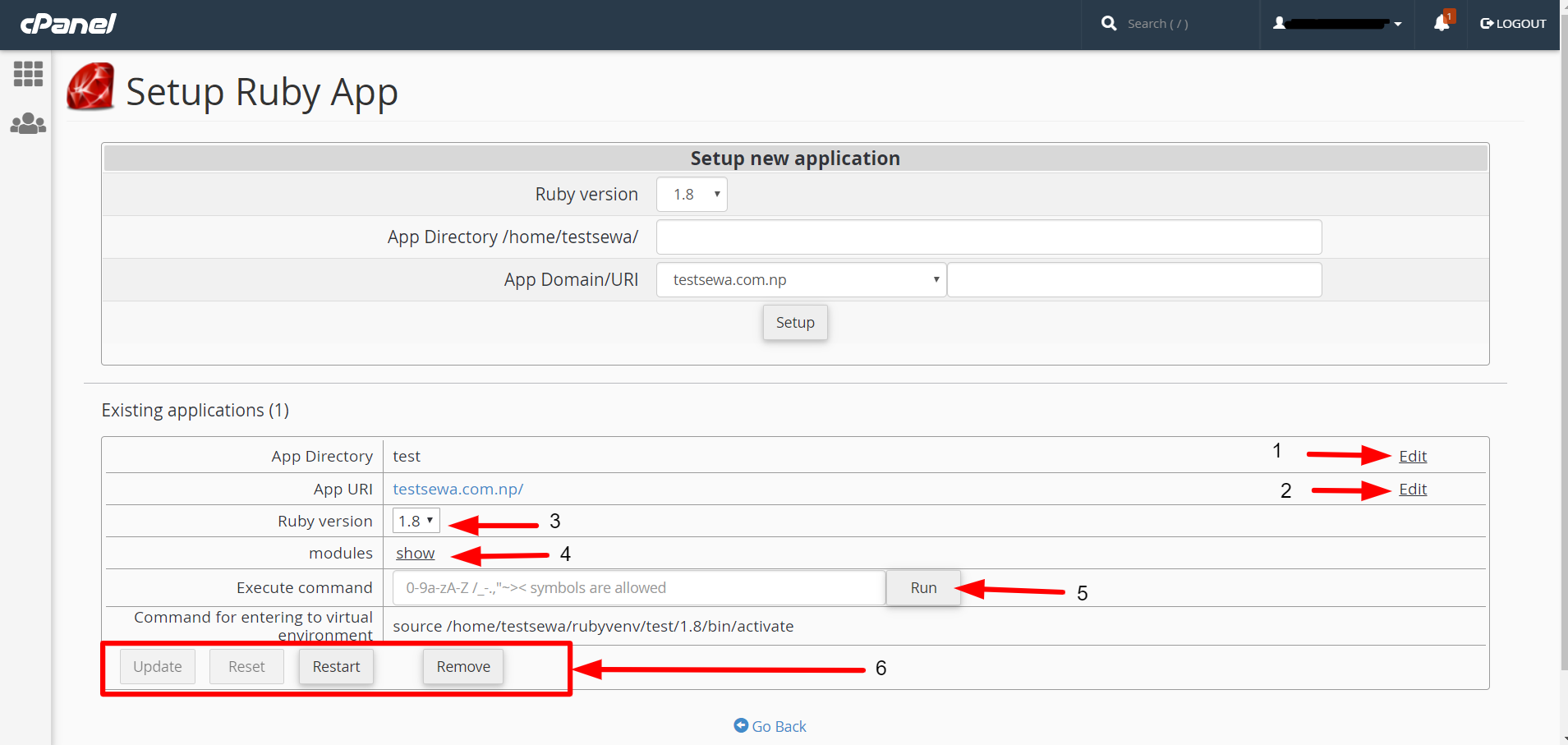
[caption id="attachment_116" align="alignnone" width="1909"] Things to do after Ruby application setup completion.[/caption]
- You can change the App Directory.
- You can change the App URI. There is an Edit option next to the App URI.
- You can change the Ruby Version using drop-down selection. It takes 5 minutes to take effect after changing the version number.
- You can Add, Edit or Delete Ruby Modules.
- You can execute commands from this interface too. Just click on the Run button after typing the command.
- After, running the executing any command using Run button above, Update button must be clicked for the changes to applied. If you make any mistake, the Reset button can help you. You can also remove the app by pressing the Remove button.
Advertisement