
How to change the appearance of WHM in HS Panel?
[ad_1]
When you buy web hosting service from HostingSewa you will be provided with best in class and also easy to use control panel named Panel Sewa or Cpanel. So with the help of HS Panel, you can easily handle and manage your website as per your requirements. So today if you are using HostingSewa and now if you are looking for information on how to change the appearance of WHM in Panel Sewa or Cpanel then here is the complete information on it.
To Change Panel Logo
>>> Log in to your WHM
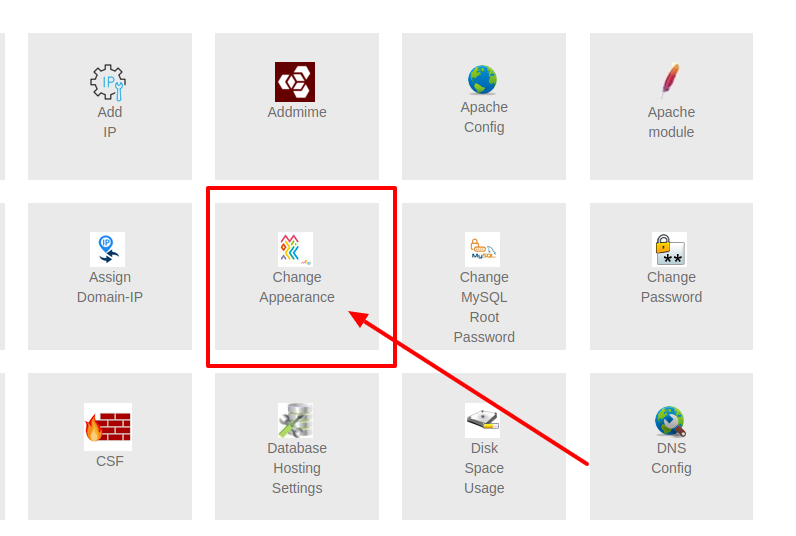 >>> Now on the main page you will find an option name Change Appearance Click on that
>>> Now in there you will see an option named Please select your image file and in there you will find LOGO option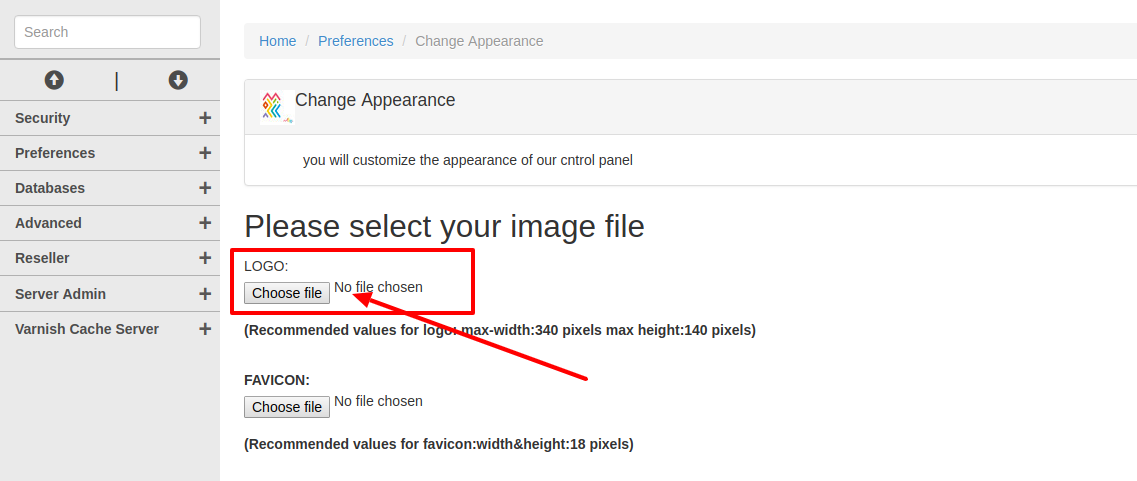
>>> Now click on choose file and select the image that you want to upload
>>> Once done click on update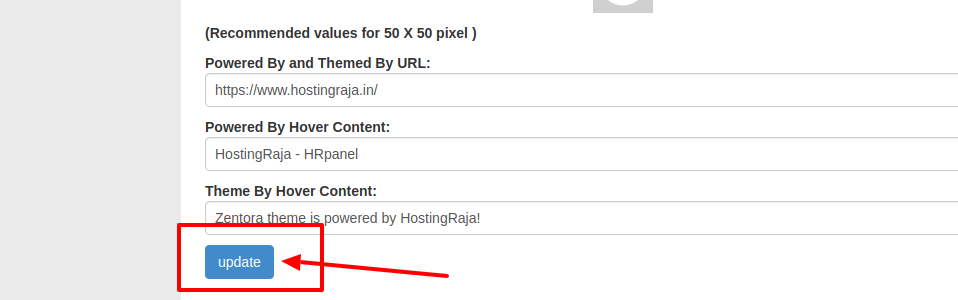 Note: Recommended Image values for logo as to be max-width:340 pixels max height:140 pixels
To Change Theme Logo
Note: Recommended Image values for logo as to be max-width:340 pixels max height:140 pixels
To Change Theme Logo
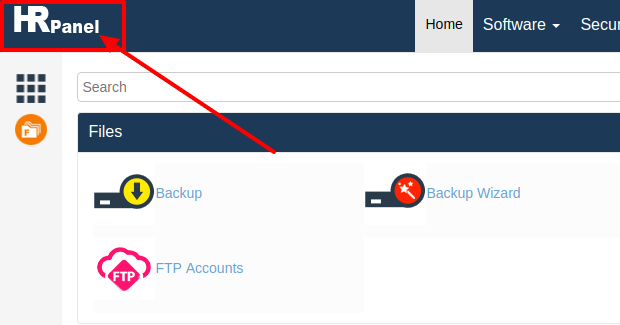 >>> Log in to your WHM ( Panel Sewa or Cpanel)
>>> Now on the main page click on Change Appearance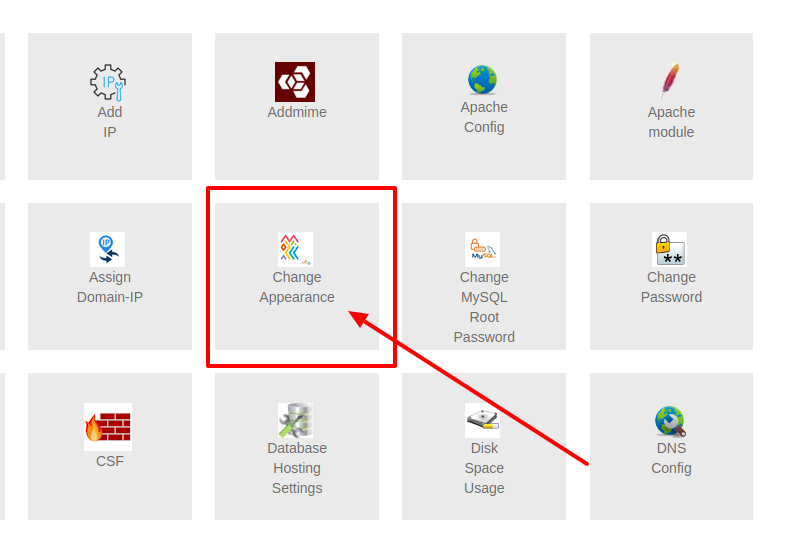 >>> Next on Change Appearance tab go to Cpanel Theme Settings option in there you will find Theme Logo
>>> Now click on choose file, in here you need to choose the image which you want to upload as a Theme Logo
>>> Next on Change Appearance tab go to Cpanel Theme Settings option in there you will find Theme Logo
>>> Now click on choose file, in here you need to choose the image which you want to upload as a Theme Logo
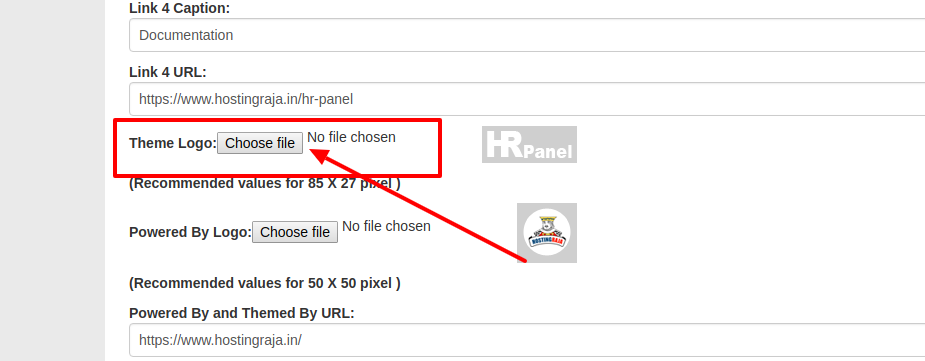 >>> Next Click on update
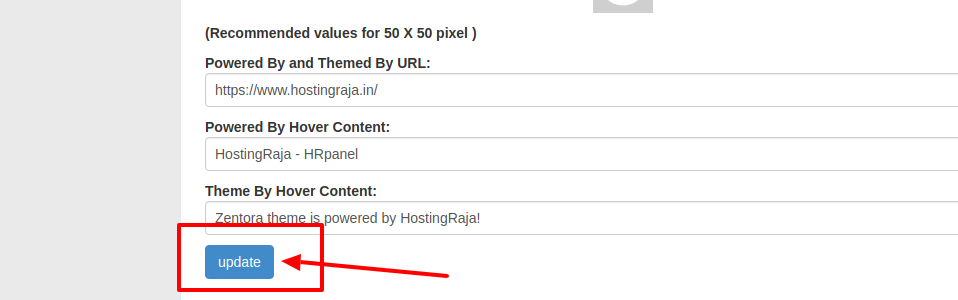 Note: The recommended image values for a theme as to be 85 X 27 pixel
To change the Power by Logo
Note: The recommended image values for a theme as to be 85 X 27 pixel
To change the Power by Logo
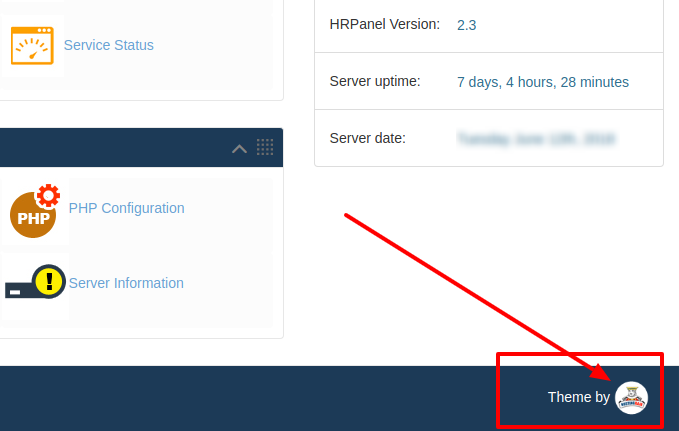 >>> Log in to your WHM
>>> Go to Change Appearance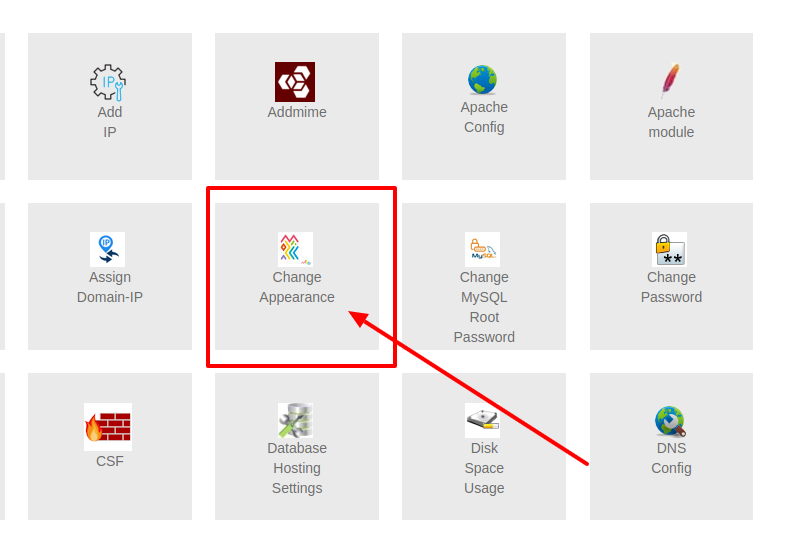 >>> In Change Appearance scroll down to Cpanel Theme Settings option and in there you will find Powered By Logo option
>>> Now in there choose the image which you want to upload
>>> Once done click on Update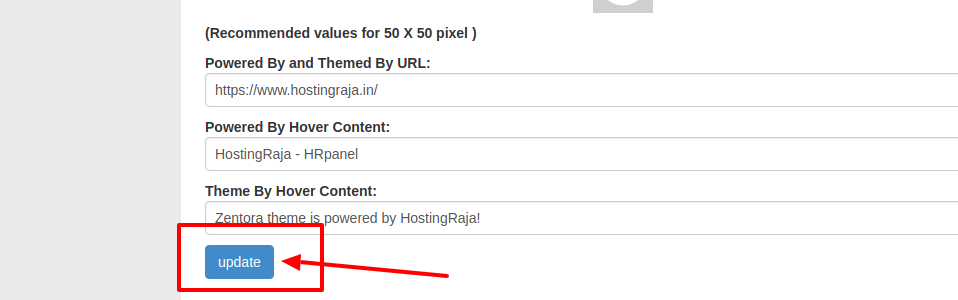 To change the Panel Content
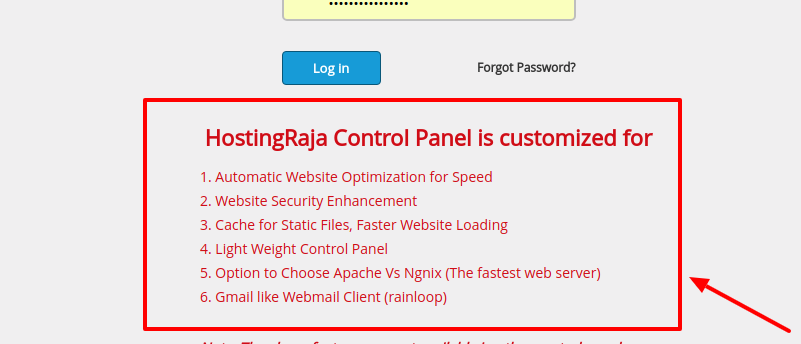 >>> Log in to your WHM ( Panel Sewa or Cpanel)
>>> Go to Change Appearance
>>> Log in to your WHM ( Panel Sewa or Cpanel)
>>> Go to Change Appearance
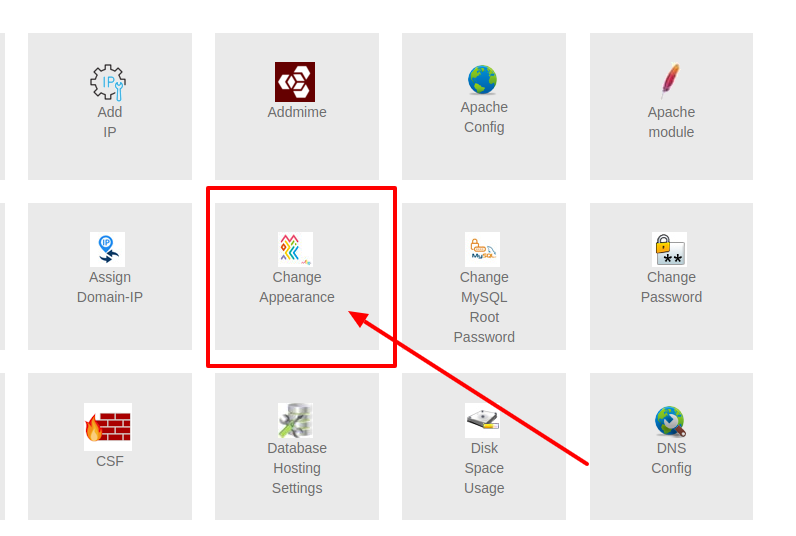 >>> Now in Change Appearance option you will find a Content option
>>> Now in there you can delete the default content and edit your own content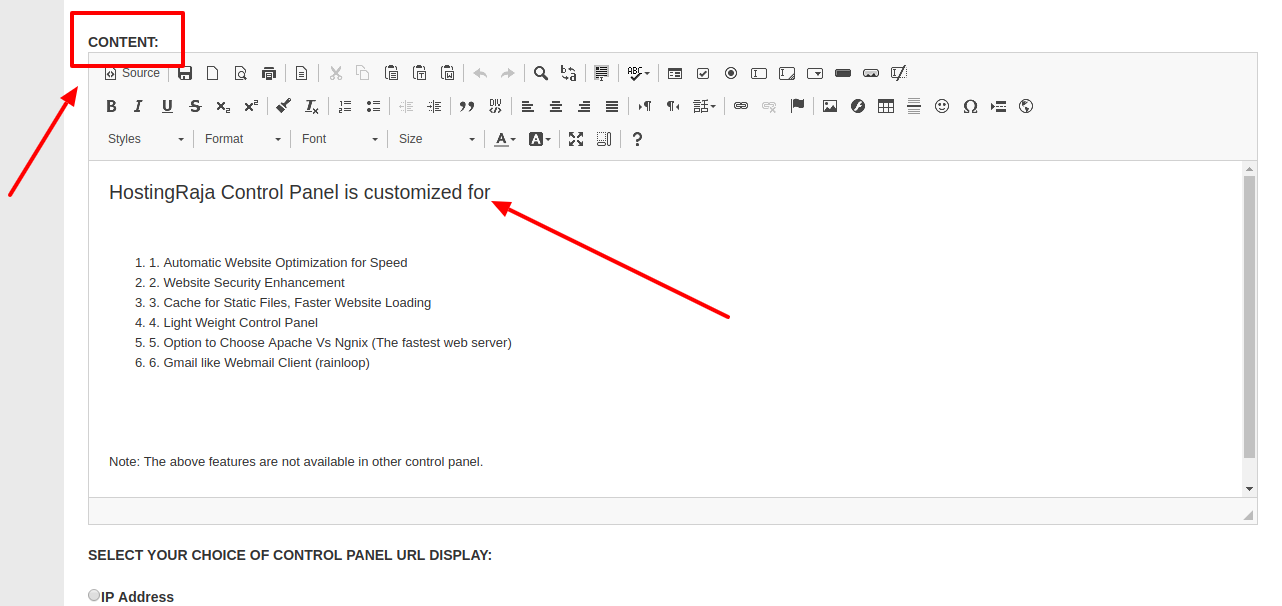
>>> Once done click on Update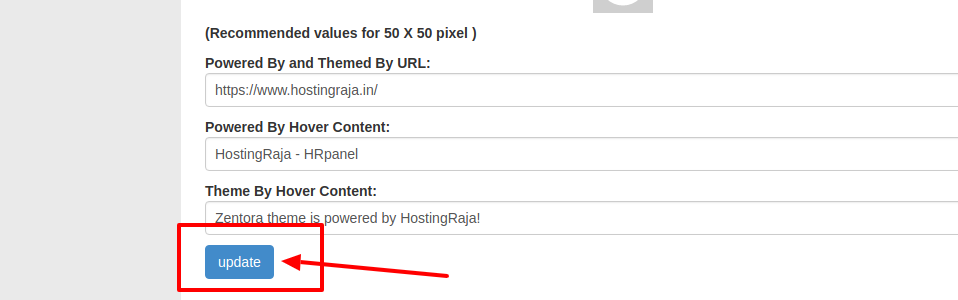 To change panel theme
>>> Log in to your Panel Sewa or Cpanel (WHM)
>>> Now on the main page you will find an option List Accounts click on that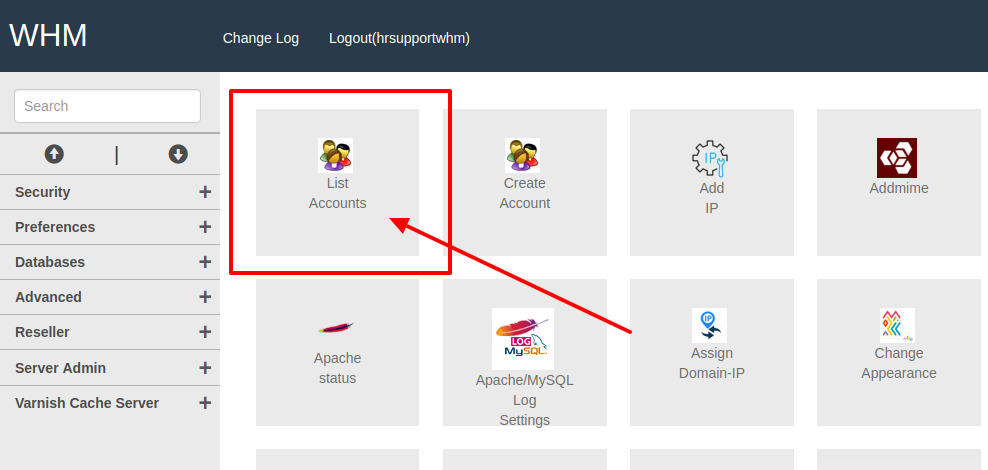 >>> Next choose the domain name or account for which you want to change the panel logo
>>> Login that domain control panel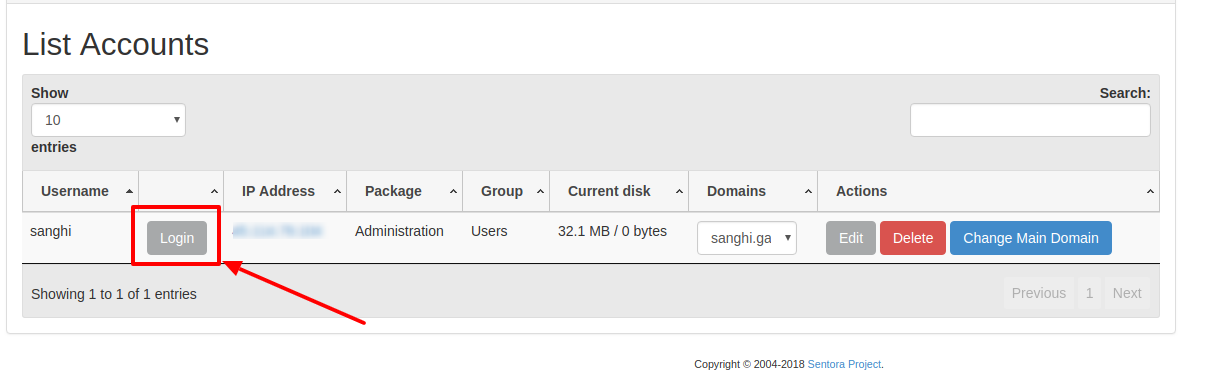 >>> Now go to Preferences in there you will find Change Style
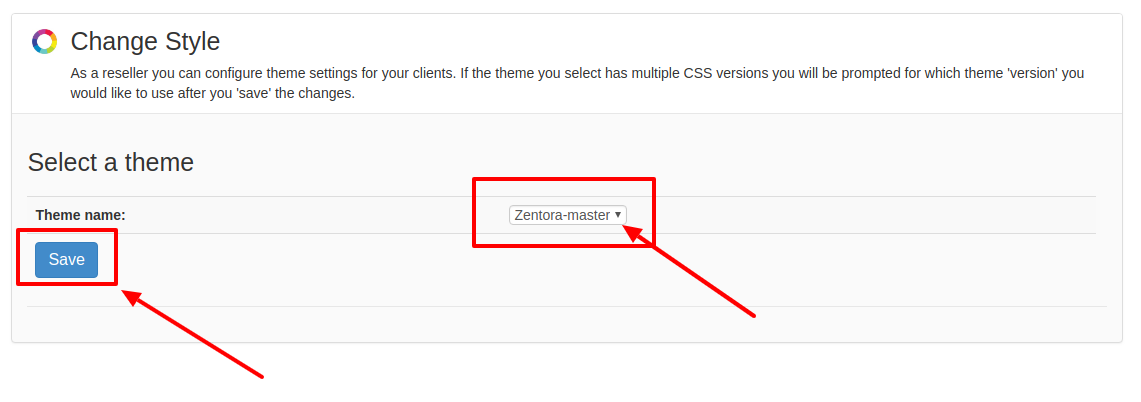
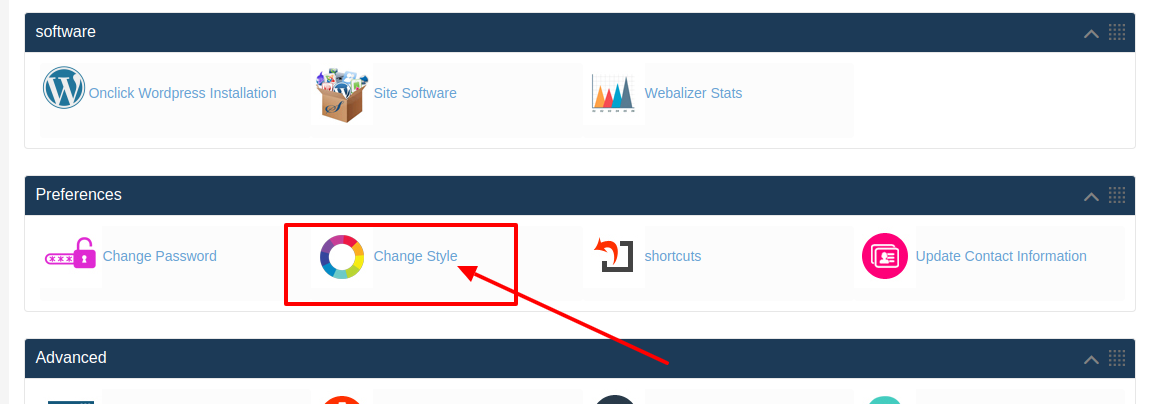 >>> Next in the Theme name option you need to choose Zentora-master if you are using CstyleX-master or vice versa
>>> At last click on Save
>>> Next in the Theme name option you need to choose Zentora-master if you are using CstyleX-master or vice versa
>>> At last click on Save
 .
.
[ad_2]
When you buy web hosting service from HostingSewa you will be provided with best in class and also easy to use control panel named Panel Sewa or Cpanel. So with the help of HS Panel, you can easily handle and manage your website as per your requirements. So today if you are using HostingSewa and now if you are looking for information on how to change the appearance of WHM in Panel Sewa or Cpanel then here is the complete information on it.
Here is the Video on How to change the appearance of WHM in HS Panel:
Follow the below steps to change the appearance of WHN in your Panel Sewa or Cpanel:To Change Panel Logo
>>> Log in to your WHM
>>> Now on the main page you will find an option name Change Appearance Click on that
>>> Now in there you will see an option named Please select your image file and in there you will find LOGO option
>>> Now click on choose file and select the image that you want to upload
>>> Once done click on update
Note: Recommended Image values for logo as to be max-width:340 pixels max height:140 pixels
To Change Theme Logo
>>> Log in to your WHM ( Panel Sewa or Cpanel)
>>> Now on the main page click on Change Appearance
>>> Next on Change Appearance tab go to Cpanel Theme Settings option in there you will find Theme Logo
>>> Now click on choose file, in here you need to choose the image which you want to upload as a Theme Logo
>>> Next Click on update
Note: The recommended image values for a theme as to be 85 X 27 pixel
To change the Power by Logo
>>> Log in to your WHM
>>> Go to Change Appearance
>>> In Change Appearance scroll down to Cpanel Theme Settings option and in there you will find Powered By Logo option
>>> Now in there choose the image which you want to upload
>>> Once done click on Update
To change the Panel Content
>>> Log in to your WHM ( Panel Sewa or Cpanel)
>>> Go to Change Appearance
>>> Now in Change Appearance option you will find a Content option
>>> Now in there you can delete the default content and edit your own content
>>> Once done click on Update
To change panel theme
>>> Log in to your Panel Sewa or Cpanel (WHM)
>>> Now on the main page you will find an option List Accounts click on that
>>> Next choose the domain name or account for which you want to change the panel logo
>>> Login that domain control panel
>>> Now go to Preferences in there you will find Change Style
>>> Next in the Theme name option you need to choose Zentora-master if you are using CstyleX-master or vice versa
>>> At last click on Save
.
[ad_2]
Advertisement