
How can I move the files in the file manager in HS Panel?
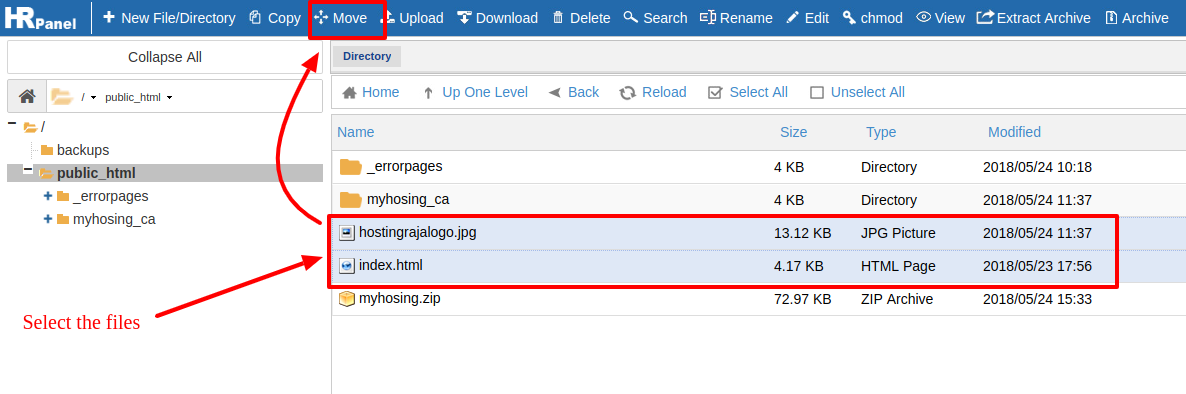
First you need to select the files which you want to move. >>> Now click on right click your mouse and you will find "move" option. Or else select the files and on the top, you will see "Move" option click on that.
[ad_1]
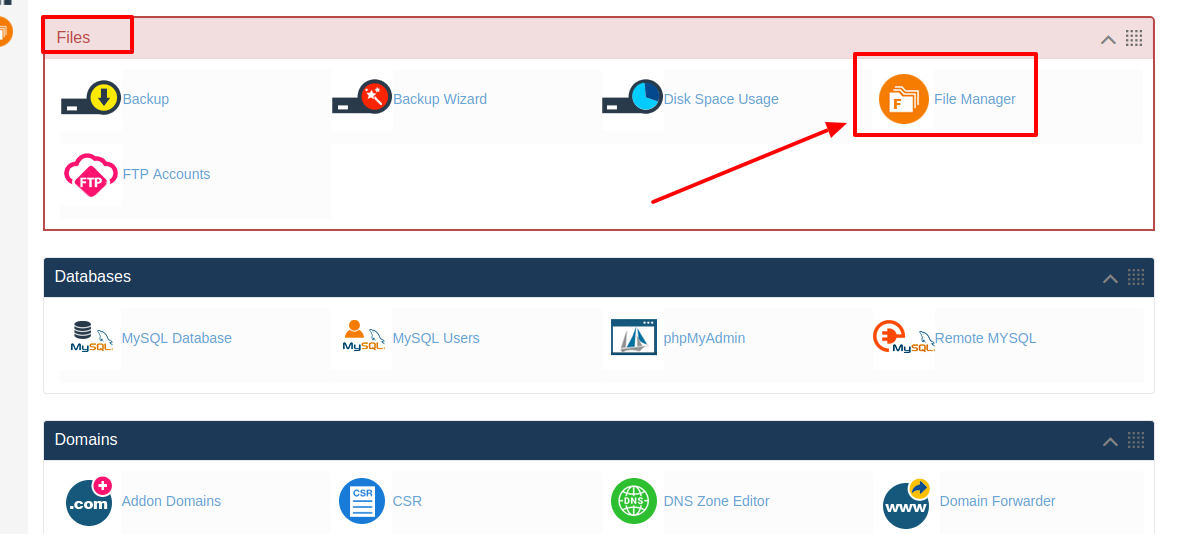
As you know today each and every business owners want to own a website and the reason behind it is that today website plays a major role for a business to get more customers and it also helps the business to improve their service and support to their customers. Not only that today if you have a website then you can easily showcase your business products and service to people around you and also to the people across the globe. So today if you are looking for best hosting service then here at HostingSewa we provide best in class hosting service at an affordable price. Not only that you can choose your desired host platform as per your requirements. But today if you are already using web hosting service from HostingSewa then you will be provided with Panel Sewa or Cpanel. It is control panel where you can make any changes on your website and it also helps you to manage and handle your website easily. So now if you are looking for information on how to move the files in the file manager in HS Panel, then here is the complete information on it. Follow the below steps to move the files in the file manager in HS Panel: >>> Log in to your Panel Sewa or Cpanel
>>> Go to files
>>> Click on File manager and then click on launch file manager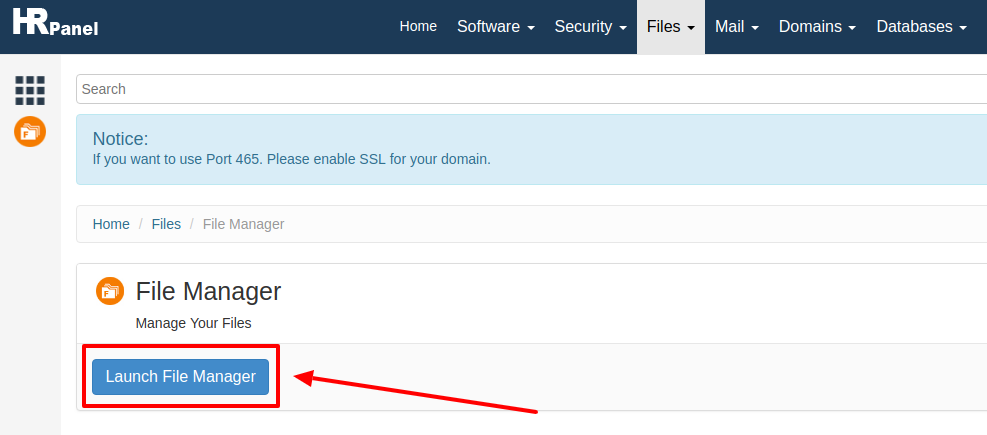 >>> First you need to select the files which you want to move.
>>> Now click on right click your mouse and you will find "move" option. Or else select the files and on the top, you will see "Move" option click on that.
>>> First you need to select the files which you want to move.
>>> Now click on right click your mouse and you will find "move" option. Or else select the files and on the top, you will see "Move" option click on that.
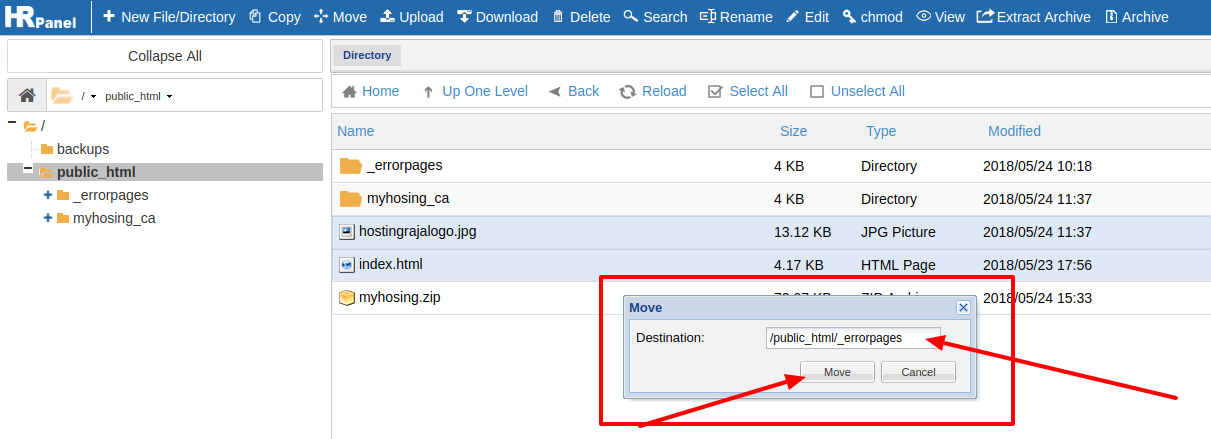
 >>> And now it will ask for Destination where you want to move. Give the folder name where to want to move and click on "Move"
 Once the files are moved it will be displayed on the respective folder to where you have moved.
.
Once the files are moved it will be displayed on the respective folder to where you have moved.
.
[ad_2]
As you know today each and every business owners want to own a website and the reason behind it is that today website plays a major role for a business to get more customers and it also helps the business to improve their service and support to their customers. Not only that today if you have a website then you can easily showcase your business products and service to people around you and also to the people across the globe. So today if you are looking for best hosting service then here at HostingSewa we provide best in class hosting service at an affordable price. Not only that you can choose your desired host platform as per your requirements. But today if you are already using web hosting service from HostingSewa then you will be provided with Panel Sewa or Cpanel. It is control panel where you can make any changes on your website and it also helps you to manage and handle your website easily. So now if you are looking for information on how to move the files in the file manager in HS Panel, then here is the complete information on it. Follow the below steps to move the files in the file manager in HS Panel: >>> Log in to your Panel Sewa or Cpanel
>>> Go to files
>>> Click on File manager and then click on launch file manager
>>> First you need to select the files which you want to move.
>>> Now click on right click your mouse and you will find "move" option. Or else select the files and on the top, you will see "Move" option click on that.
>>> And now it will ask for Destination where you want to move. Give the folder name where to want to move and click on "Move"
Once the files are moved it will be displayed on the respective folder to where you have moved.
.
[ad_2]
Advertisement