
7 Steps to Prevent directory listing using .htaccess
How to prevent directory listing using .htaccess file?
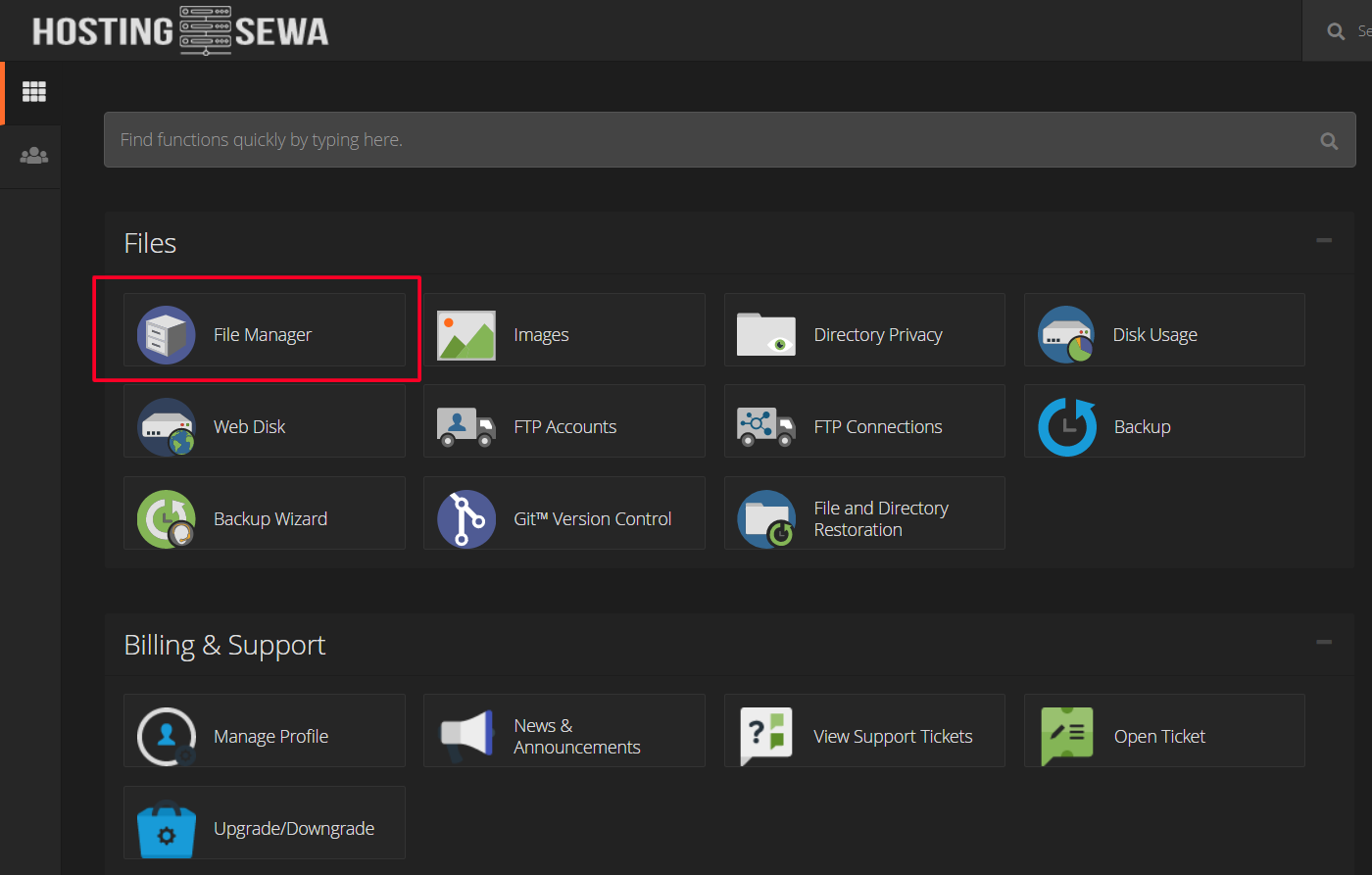
This tutorial is about preventing your files from showing to the public on your web directory. Here are the easy steps you can follow to restrict directory listing using .htaccess: Step 1: Login to Cpanel. Step 2: Click on the File Manager. [caption id="attachment_190" align="alignnone" width="1400"] File Manager Option in HostingSewa Cpanel.[/caption]
Step 3: Enter the public_html directory
[caption id="attachment_191" align="alignnone" width="1915"]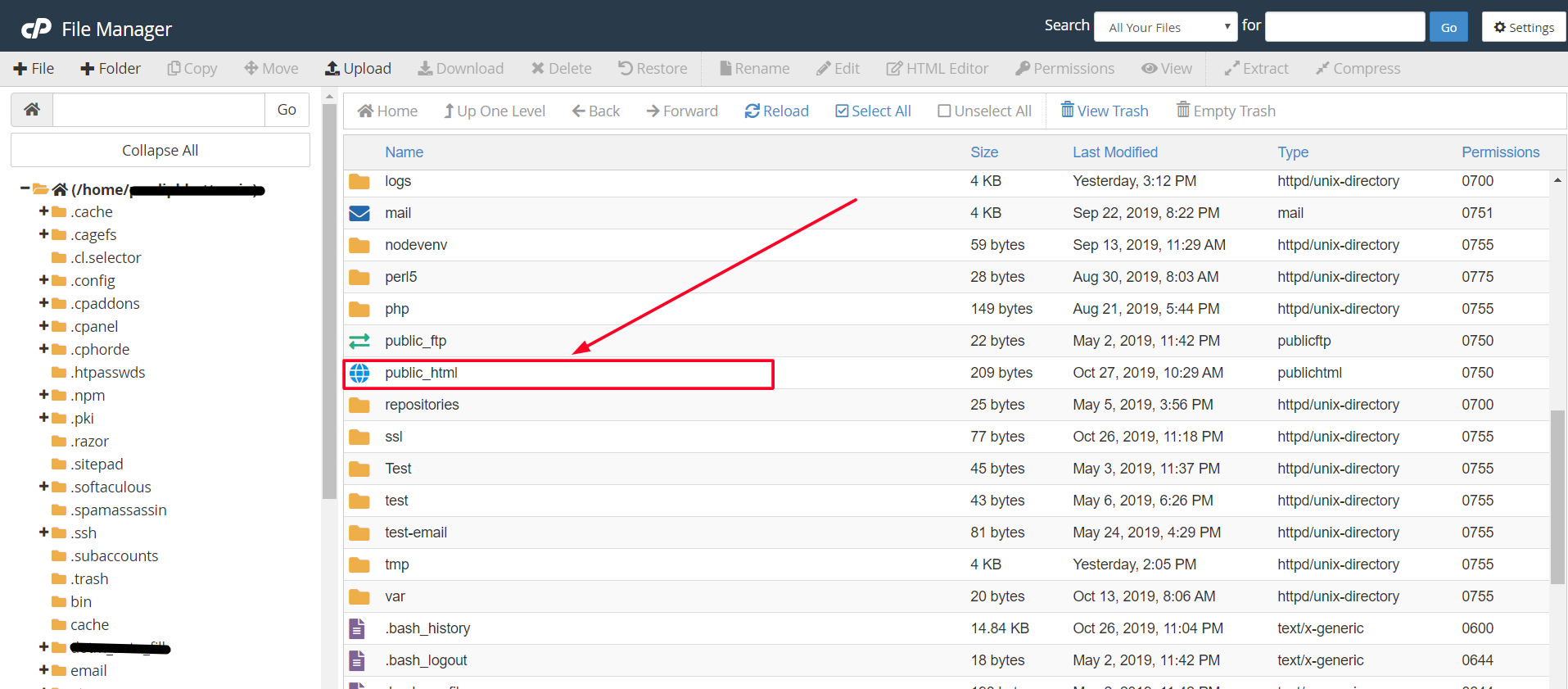 File Manager showing public_html directory[/caption]
Step 4: Click on the Settings button on the top right corner of File Manager. The button looks like this:
File Manager showing public_html directory[/caption]
Step 4: Click on the Settings button on the top right corner of File Manager. The button looks like this: Step 5: After clicking the Settings button, tick mark on 'Show Hidden Files (dotfiles)'. Now, your dot hidden files will be shown including .htaccess (if any).
[caption id="attachment_193" align="alignnone" width="1919"]
Step 5: After clicking the Settings button, tick mark on 'Show Hidden Files (dotfiles)'. Now, your dot hidden files will be shown including .htaccess (if any).
[caption id="attachment_193" align="alignnone" width="1919"]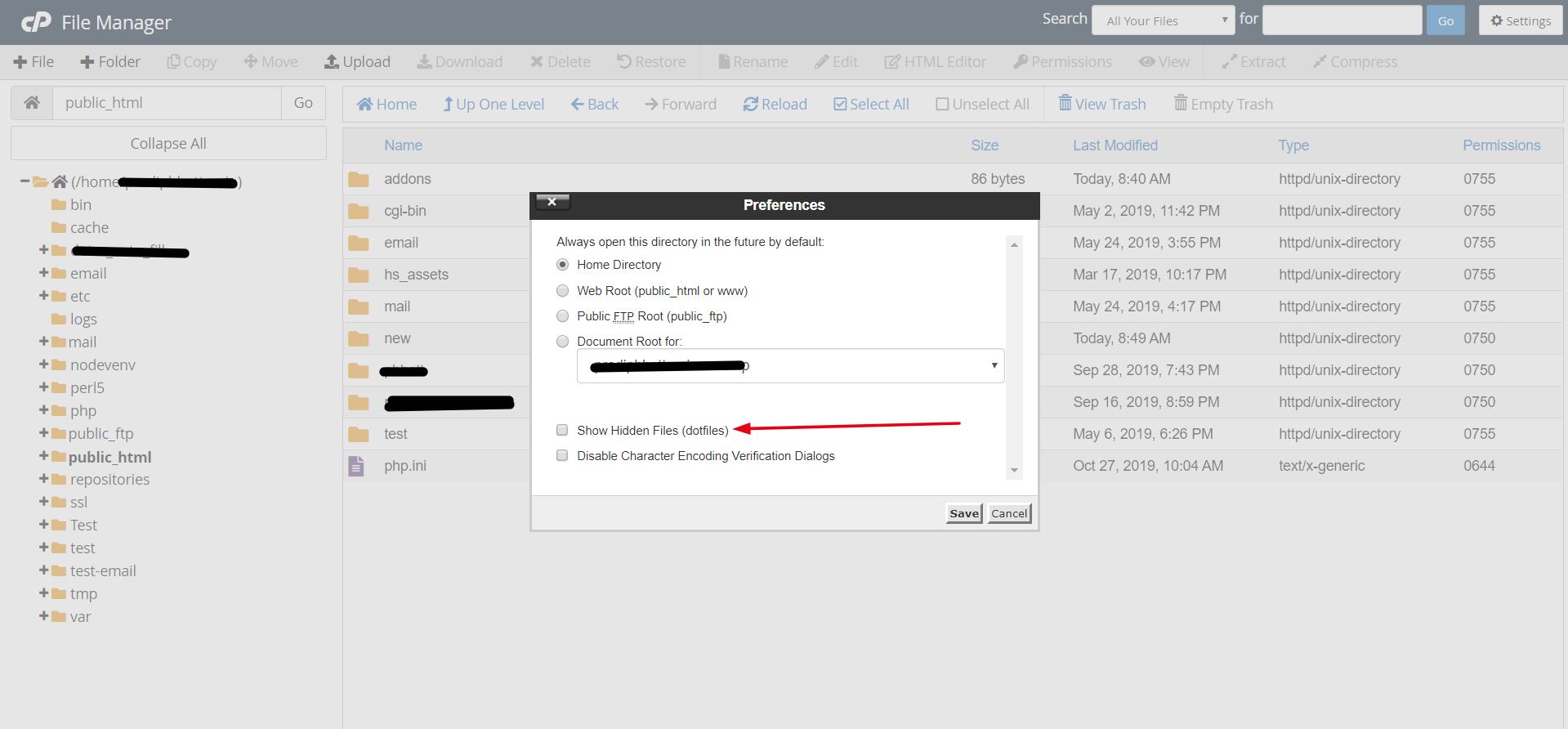 File Manager Setting Preferences showing Show Hidden Files (dotfiles) and other options.[/caption]
Step 6: Right-click on the .htaccess file and click on edit. If .htaccess file is missing you can create a new file name as '.htaccess'.
[caption id="attachment_194" align="alignnone" width="1087"]
File Manager Setting Preferences showing Show Hidden Files (dotfiles) and other options.[/caption]
Step 6: Right-click on the .htaccess file and click on edit. If .htaccess file is missing you can create a new file name as '.htaccess'.
[caption id="attachment_194" align="alignnone" width="1087"]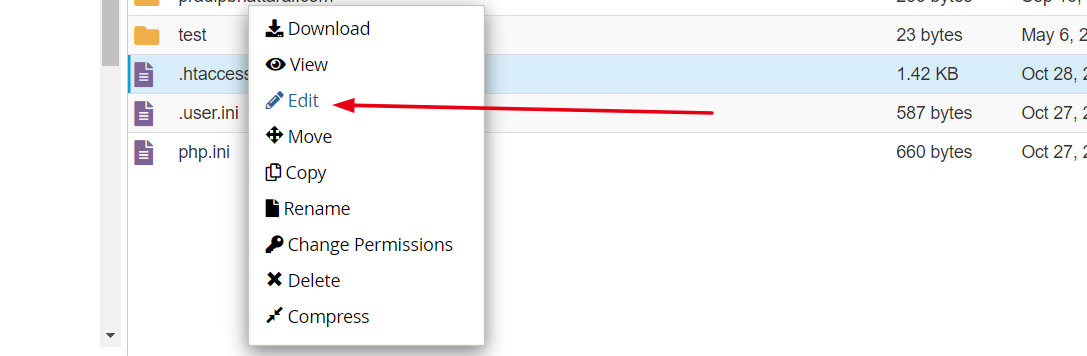 Right-click menu on Cpanel File Manager[/caption]
Step 7: Now you add the following snapshot on the top of your HTACCESS file.
[alert-announce]Options -Indexes[/alert-announce]
[caption id="attachment_195" align="alignnone" width="1920"]
Right-click menu on Cpanel File Manager[/caption]
Step 7: Now you add the following snapshot on the top of your HTACCESS file.
[alert-announce]Options -Indexes[/alert-announce]
[caption id="attachment_195" align="alignnone" width="1920"]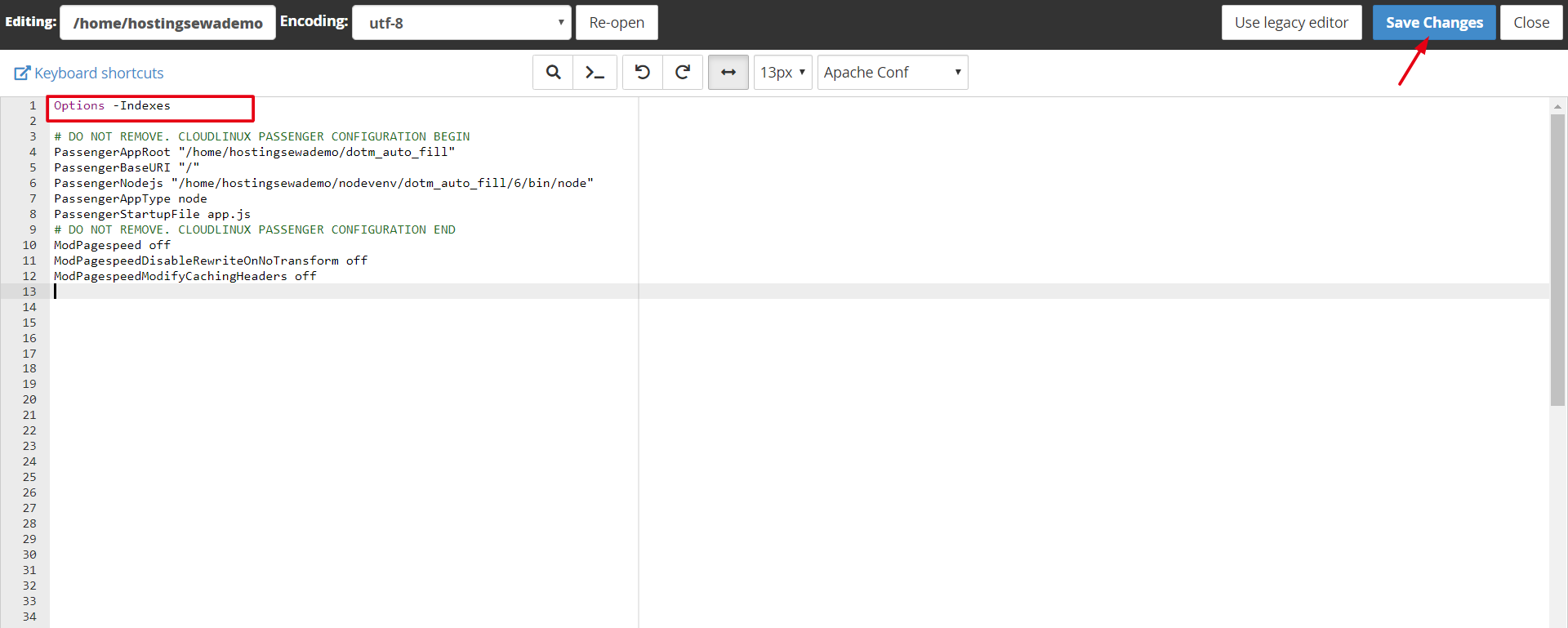 Modifying .htaccess file and saving changes from Cpanel.[/caption]
This is how directory listing is prevented using the .htaccess file.
Modifying .htaccess file and saving changes from Cpanel.[/caption]
This is how directory listing is prevented using the .htaccess file.Advertisement